▦
QR Key Tags
Give each key a unique QR identity so users can open the correct key workflow from their phone.
KeyTag features
A focused set of tools for real estate agencies that need to know where property keys are, who has them and what happened next.
Give each key a unique QR identity so users can open the correct key workflow from their phone.
Users request a key and include the reason they need it before collection.
Agency staff review and approve requests before a key can be taken.
Record who takes a key, when it leaves and when it is returned.
Use office and drop-box return QR codes to make after-hours returns easier to track.
See a chronological record of requests, approvals, take-outs and return confirmations.
Review keys and statuses so staff can reconcile what is available, out or needs attention.
Clearly mark keys that should not be issued and record the reason in history.
Manage agency users and approved access while supporting contractors and other key users.
One clear dashboard
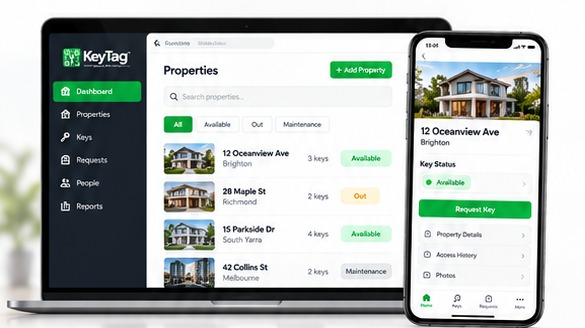
Search keys, filter by status, review pending requests and open the history of an individual key from one interface.
We can walk through KeyTag from request to return.