How KeyTag works

From QR scan to return, keep the whole journey visible.

KeyTag gives agencies a simple, controlled workflow for getting property keys into the right hands and back again.

The four-step flow

Straightforward for the person collecting the key. Clear and controlled for the agency.

1

Scan

The key's QR code opens its secure workflow.

2

Request

The user enters why the key is required.

3

Approve & Take

The agency approves the request and the key can be taken.

4

Return

The return location is scanned and staff can confirm it is back.

Two sides. One workflow.

Built for the agency and the person using the key.

Contractor / key user

A mobile-first process without needing to understand the agency's internal system.

  1. Scan the KeyTag or use the in-app scanner.
  2. Sign in and request the property key.
  3. Enter the reason for the request.
  4. Take the key once approval is granted.
  5. Return by scanning the agency's office or drop-box return QR.
Agency team

Control who gets a key and maintain a clean record of its movement.

  1. Review incoming key requests.
  2. Approve the right request.
  3. See who has the key and when it was taken.
  4. Review pending returns when a return QR is scanned.
  5. Confirm the return and close the history event.
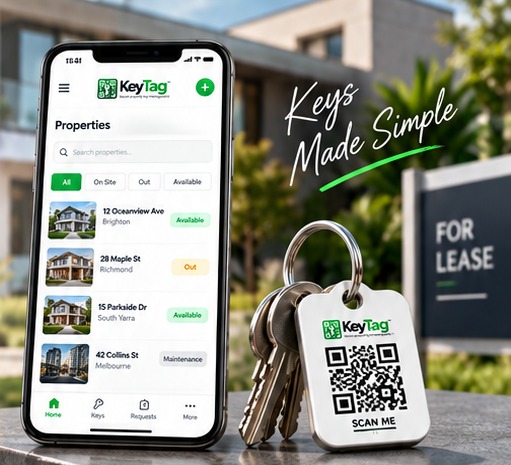
KeyTag QR key tag beside mobile app

Every action adds context

A history that makes sense later.

KeyTag records the important events around each key so staff can understand what happened without relying on memory or handwritten notes.

1

Request details

Who requested the key and why.

2

Approval details

Who approved the request.

3

Take & return events

When the key left, where it was returned and who confirmed it.

See it working with your agency workflow.

Book a KeyTag walkthrough.

Book a Demo →